Screenshots
Five shots from the current build — not mock-ups, not a designer's impression. Every number in them came out of the software. Click any image to see it full size.
The way in
Twenty-four shapes, grouped the way a shop thinks about them rather than alphabetically. Quick Design is one part straight to a DXF with no job around it; New Job adds the parts list, materials and costing when you need to quote.
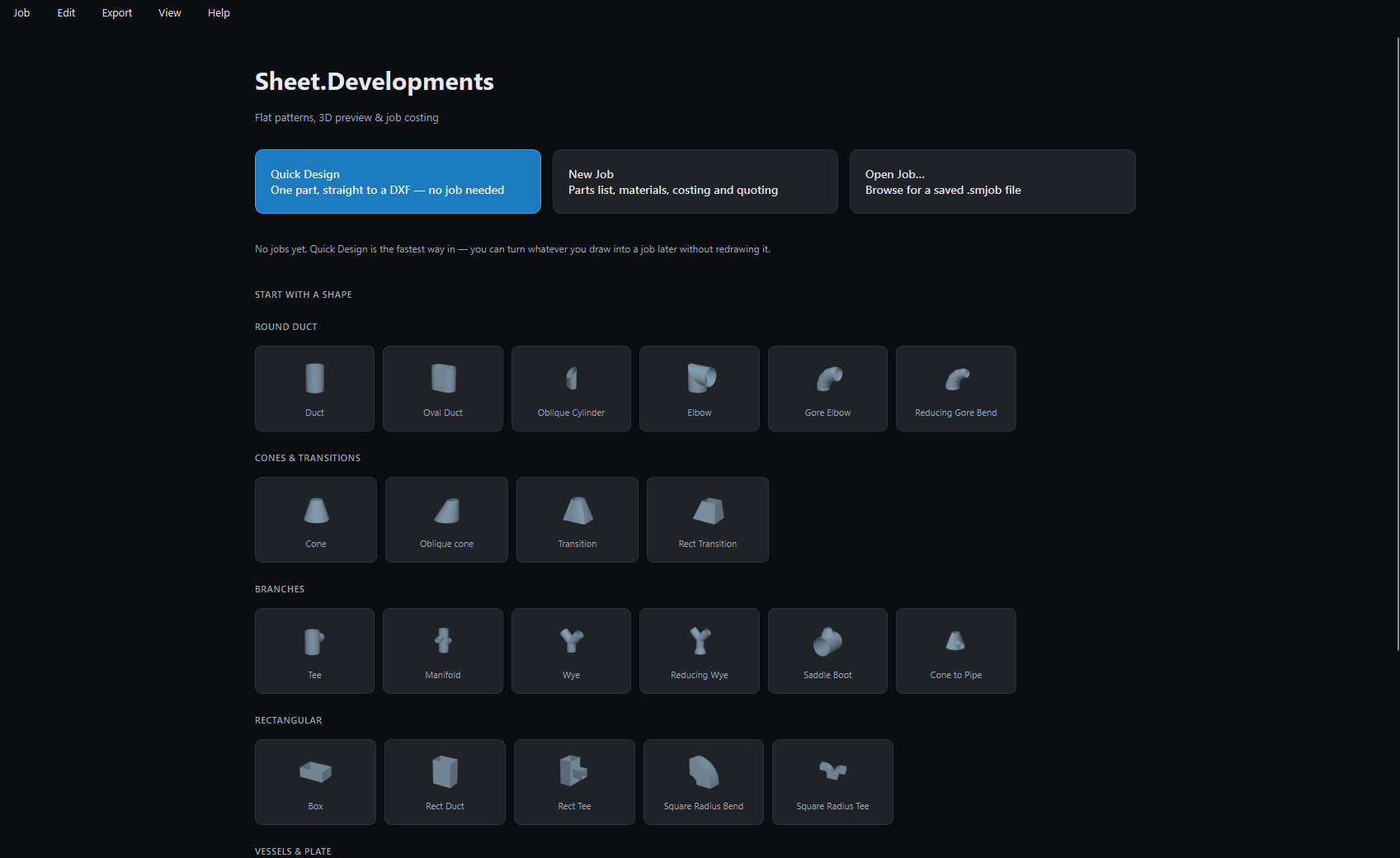
Anything you draw in Quick Design can be turned into a job later without redrawing it.
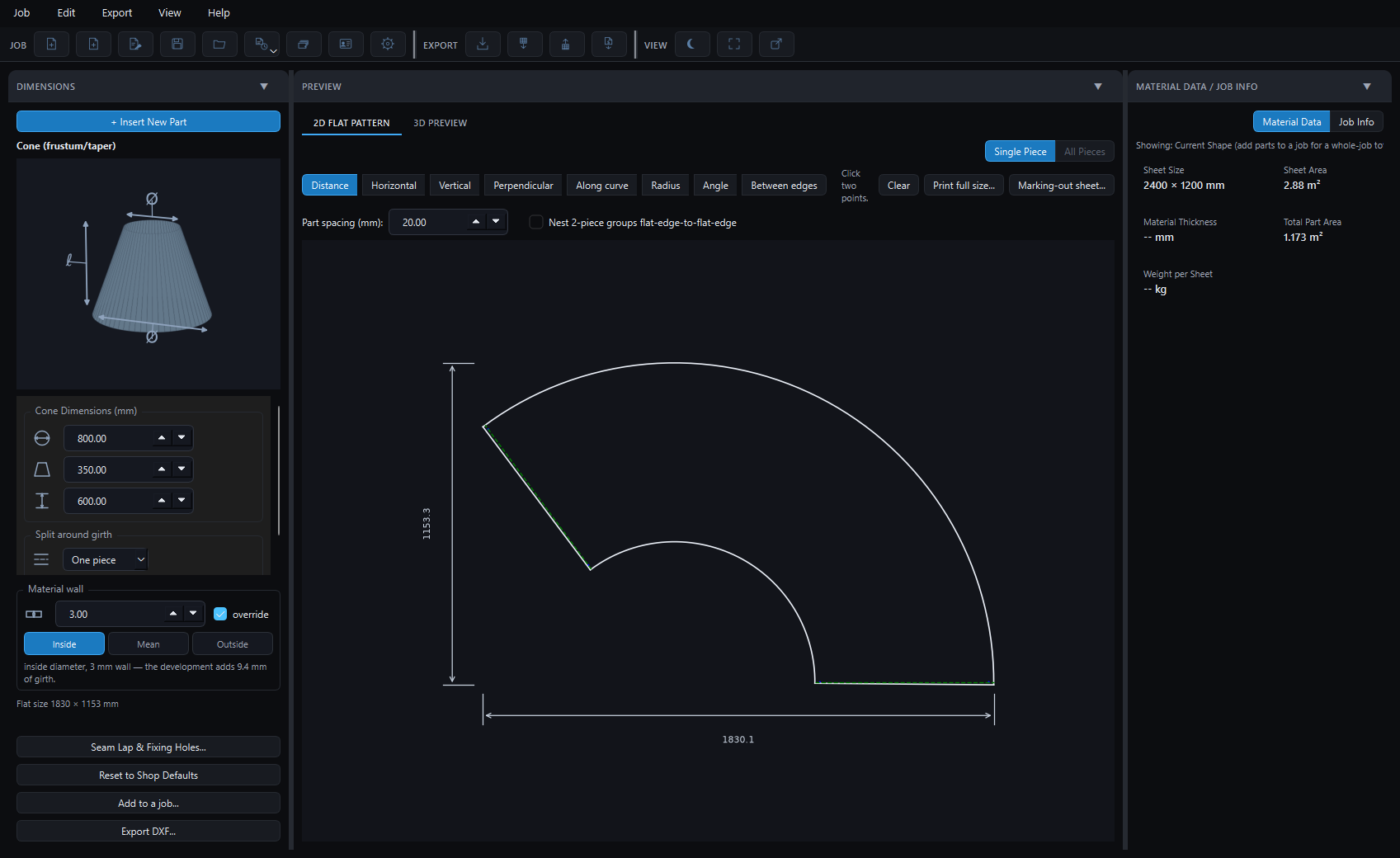
The development
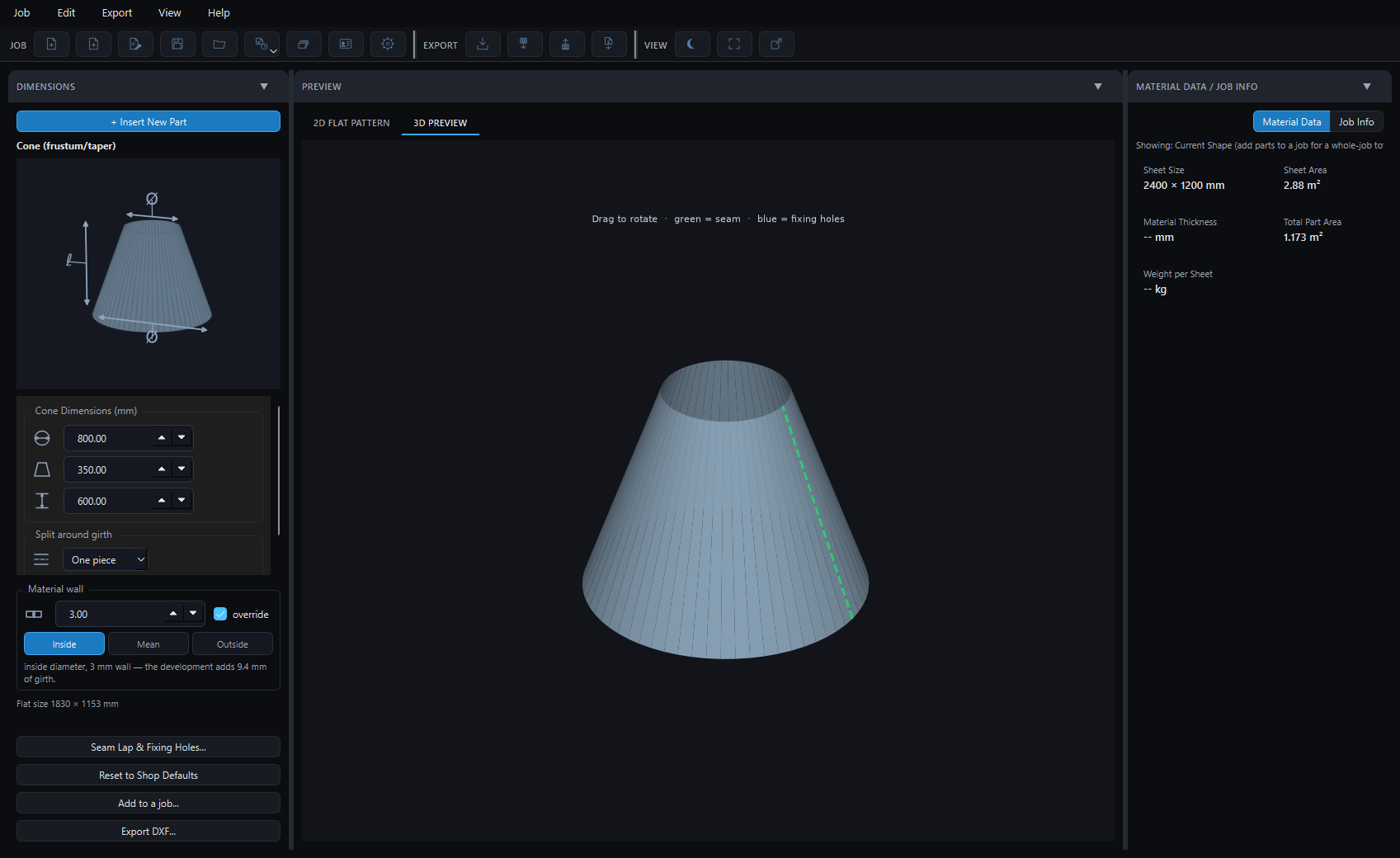
An 800 to 350 cone, 600 high, in 3 mm plate. The diameters were typed as inside diameters, so the pattern develops on the middle of the material and the girth comes out 9.4 mm longer than the bare numbers would give. Seam laps are drawn in green, on their own DXF layer.
Checking
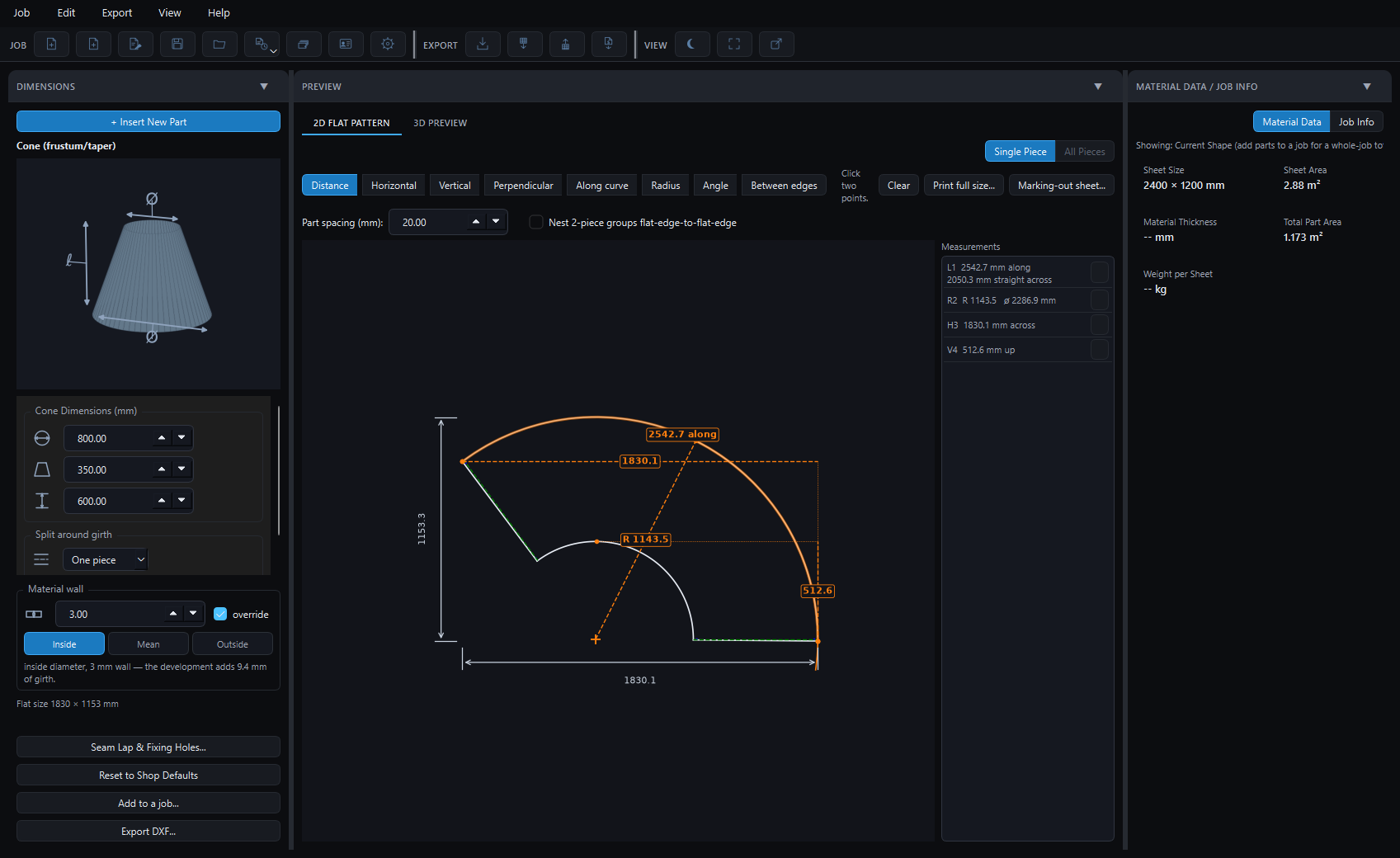
Eight kinds of measurement, and the picks snap to ends, centres, midpoints, quadrants and intersections. Along curve runs the tape around the arc rather than straight across it — between the same two points on this cone that is the difference between 2050 mm and 2543 mm. Every measurement stays on the drawing and comes out on the marking-out sheet.
The detail most software gets lazy about
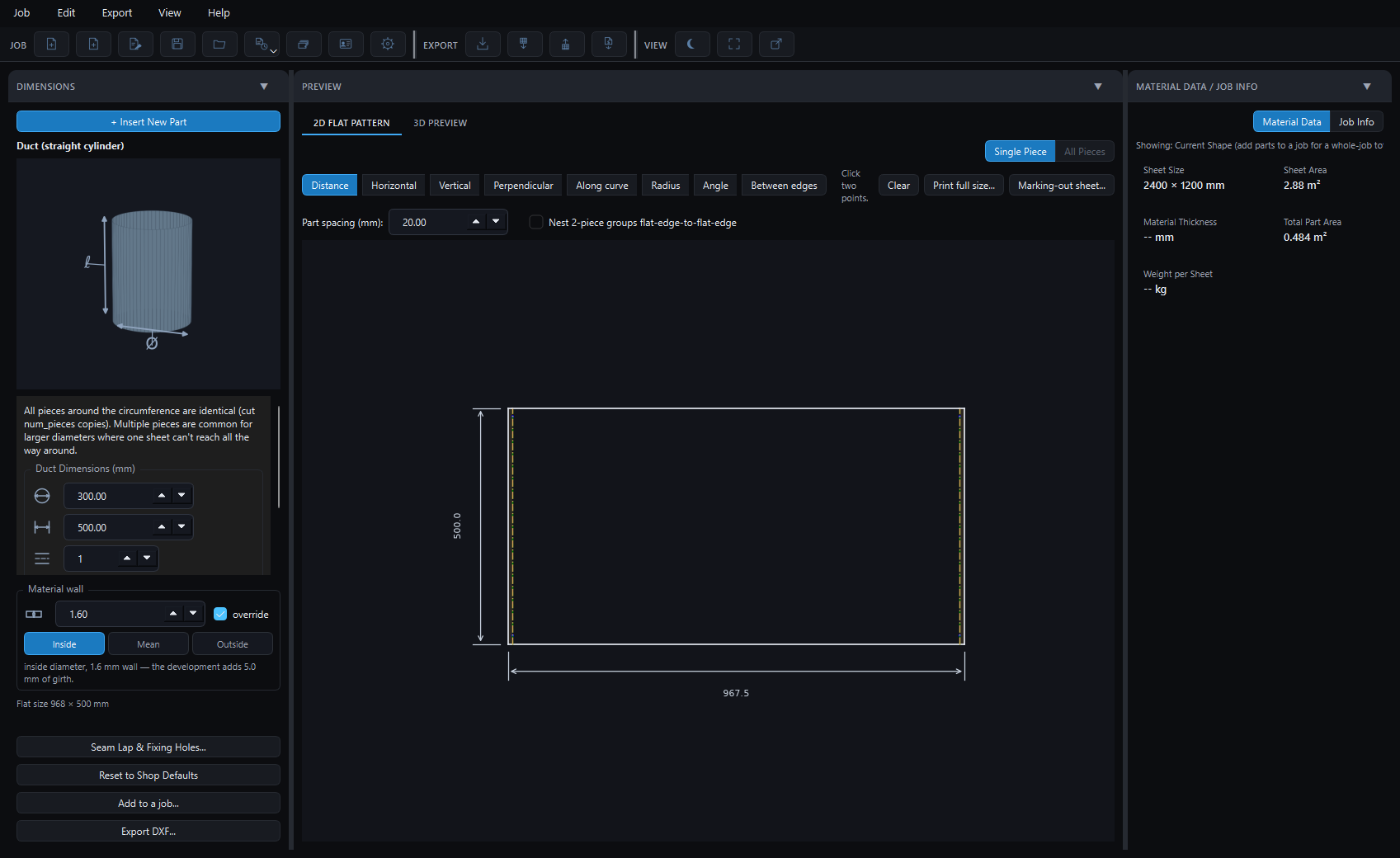
A 300 duct in 1.6 mm. If 300 is the inside diameter, the blank is not π×300. It is π×301.6, because the material rolls about its middle — 5 mm of girth, which is a 5 mm gap or a 5 mm overlap at the seam. Set it per part; the software says in plain words what it did.
Sheet nesting and NC output exist but are not merged yet, so they are not pictured — I would rather show you what is finished. If cutting is your end of the job and you would like to try that part early, there is a tester list.
30-day trial
That is the only test worth doing. Develop something you have cut before, check the girth against your own numbers, and see whether it agrees.